
For schools & training centers
Teach machining in the computer lab
Technical schools worldwide use our simulators to teach milling, turning and CNC programming — realistic cutting physics, material-dependent tool breakage and authentic Fanuc-style G-code, on ordinary classroom PCs.
We license directly to schools of any size — deployments so far range from single classrooms to 80+ seat labs.
Why schools use it
Zero risk, real skills
Students practice feeds, speeds, tool changes and workpiece setup with no injury risk, no broken cutters and no scrapped stock. Mistakes cost nothing — and still teach.
A machine for every student
A workshop has a handful of machines and a queue. With the simulator, every seat in the computer lab is a milling machine, a lathe and a CNC station at once.
Real Fanuc-style G-code
The CNC expansions run authentic G-code — canned cycles, work offsets, tool compensation and macros. What students write here is what they will write on the shop floor.
Browse all 60 commands →
Built with educators in mind
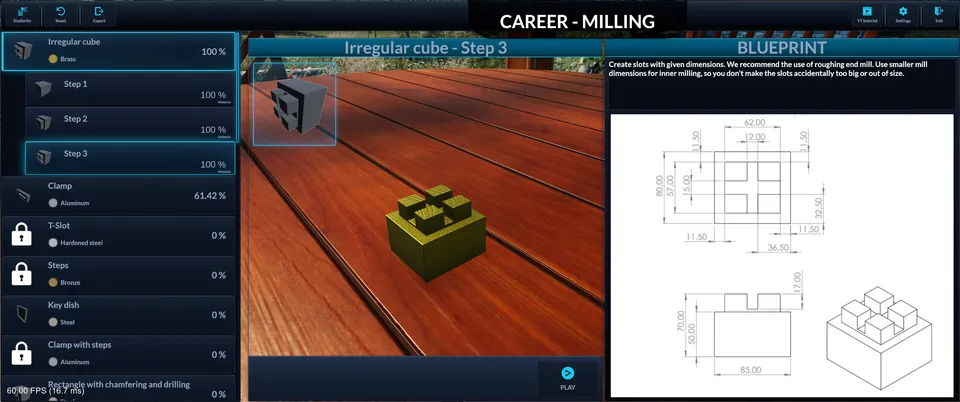
Career mode sets measurable challenges with precise tolerances, so you can grade against the same criteria you would use at the machine.
Two ways to license
Which one fits depends on a single question: do your students sign in with personal Steam accounts, or do they share lab computers?
Personal accounts
Bulk Steam keys
We sell activation keys directly to your school in whatever quantity you need. Each student redeems a key on their own Steam account and keeps access — practice does not end when the lesson does.
- ✓ Volume pricing on request
- ✓ Invoice from us directly — normal school procurement
- ✓ Students can practice at home
Shared lab computers
Steam PC Café licensing
If your lab machines are shared and students do not have personal Steam accounts, Steam's PC Café program provides site licensing per seat instead of per person. Ask us and we will walk you through the setup.
- ✓ Licenses live on the lab machines
- ✓ No per-student account management
- ✓ Suited to shared classrooms
How it works
1
Tell us about your lab
How many seats, which machines you teach (manual milling, lathe, CNC), and whether students use personal Steam accounts or shared lab computers.
2
Pick the licensing that fits
Bulk Steam keys for personal accounts, or Steam PC Café licensing for shared lab machines. We will recommend the simpler option for your setup.
3
Deploy and teach
Keys arrive by email and activate like any Steam game. No servers to run, no accounts to manage on our side — your IT will be done in an afternoon.
Optional hardware
Real handwheels for your training stations
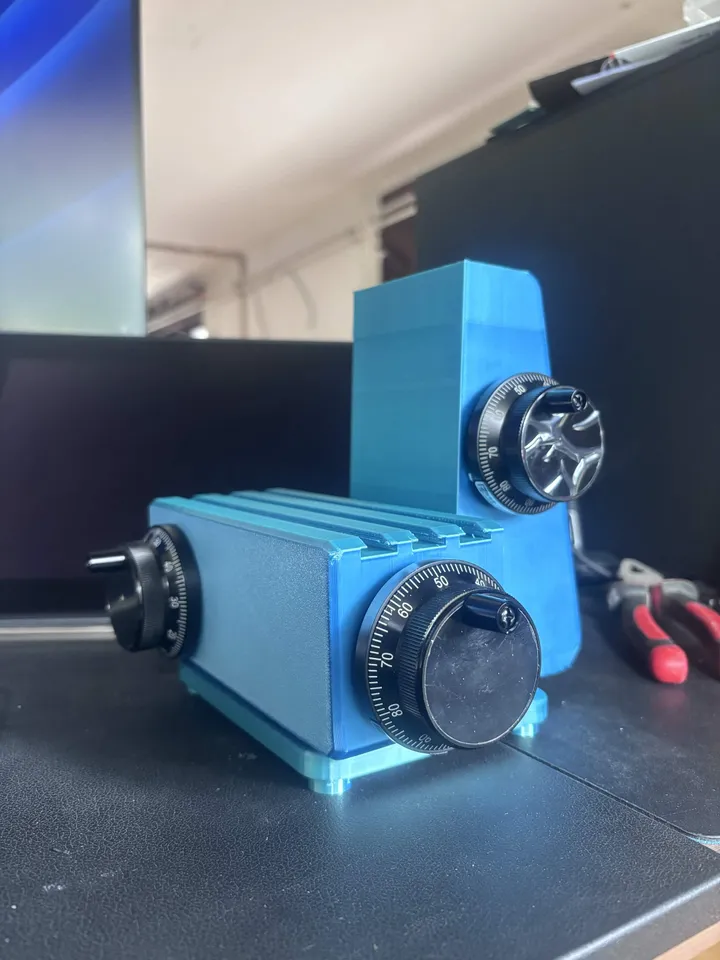
We are developing a dedicated hardware controller — three real encoder handwheels in a housing shaped like the machine itself. Schools can order units built on request: mention it when you get in touch and we will include it in the quote.
See the controller →
What you can teach with it
Manual milling — feeds, speeds, workpiece setup, graduated-dial handwheels, and why wrong parameters break tools
Turning — facing, longitudinal turning and metal shaping on the lathe
CNC programming — 60 documented G/M-codes: canned cycles, work offsets, compensation, subprograms
Parametric macros — Fanuc-style variables, expressions, IF/GOTO and WHILE loops
Bring it to your classroom
Tell us how many seats you need and how your lab is set up — we will reply with a quote and the licensing route that fits. Schools usually hear back within a day or two.